27 RGB Gaming Room Setup Ideas for the Perfect Gamer Aesthetic
The difference between a gamer and a gamer is often the glow. RGB lighting isn’t just about seeing your keyboard; it’s about creating an atmosphere that pulls you into the world of your game. In 2026, a gaming setup is a personal statement—a blend of technology, comfort, and vibrant personality. This list explores 27 distinct RGB gaming room ideas that range from neon-drenched cyberpunk dens to minimalist, softly lit sanctuaries. Whether you are building from scratch or upgrading your current station, these ideas will help you curate the ultimate gaming aesthetic.
1. The “Cyberpunk 2077” Neon Jungle
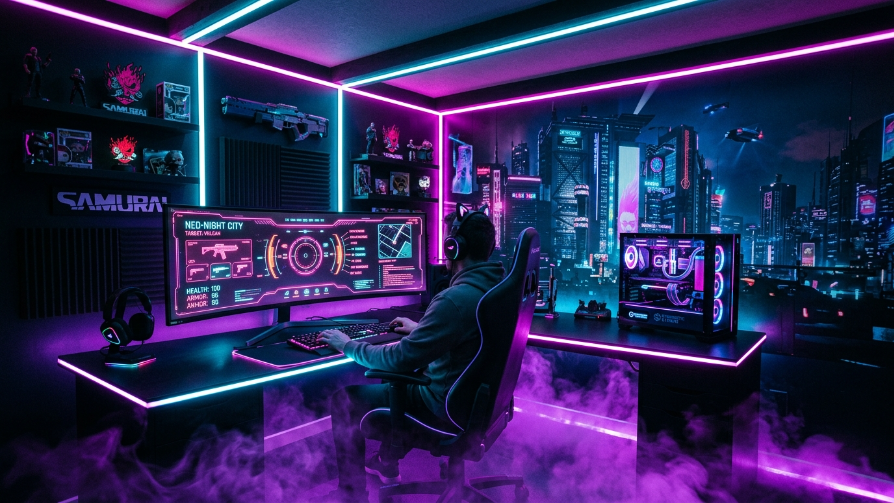
To capture the chaotic energy of Night City, embrace a high-contrast neon palette. Install RGB strips that shift between electric blue and hot pink to create a vibrant, almost synthetic atmosphere. The goal is to make the lighting feel alive, as if it’s reacting to the data streams of the game. Use aluminum channels to diffuse the LED strips, ensuring a smooth, professional glow rather than harsh spots. This creates an immersive experience where the boundaries between the game and your room start to blur.
You can enhance the theme with LED wall panels that mimic building windows or digital grids. The desk should be minimal to let the lighting take center stage; a glass or acrylic desk works best to allow the light to reflect off the floor. Add a neon “OPEN” sign above your monitor for that authentic street-level feel. The result is a setup that doesn’t just look good for gaming but transforms your room into a digital art installation, perfect for streaming or late-night gaming sessions.
2. The “Tron” Monochrome Blue
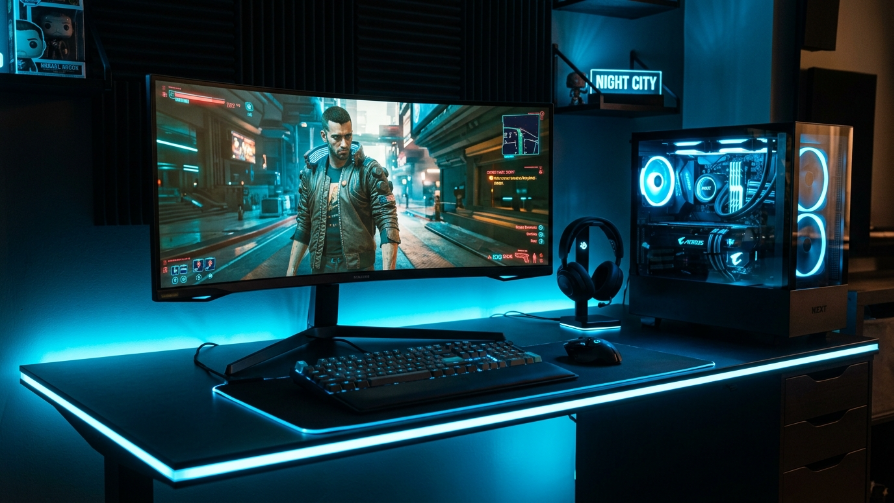
Black and blue is a classic combination that exudes a sleek, futuristic vibe. For this setup, your room should be painted a dark matte color to absorb light, allowing the blue RGB to “pop” against the darkness. Focus on creating sharp, geometric lines of light. Use LED strips to outline the perimeter of your desk and the back of your monitor. This creates an “infinite” effect, as if your screens are floating in a digital void.
This aesthetic relies heavily on the contrast between the dark environment and the bright, cool blue light. Consider painting your walls charcoal or using black soundproofing panels to reduce echo and add texture. When selecting your gear, look for fans and RAM with a bright, vivid blue hue. Keep the lighting to a single shade of blue rather than multiple colors to maintain a clean, organized, and highly professional “Tron” aesthetic that screams high-tech efficiency.
3. The “Cotton Candy” Pastel Dream
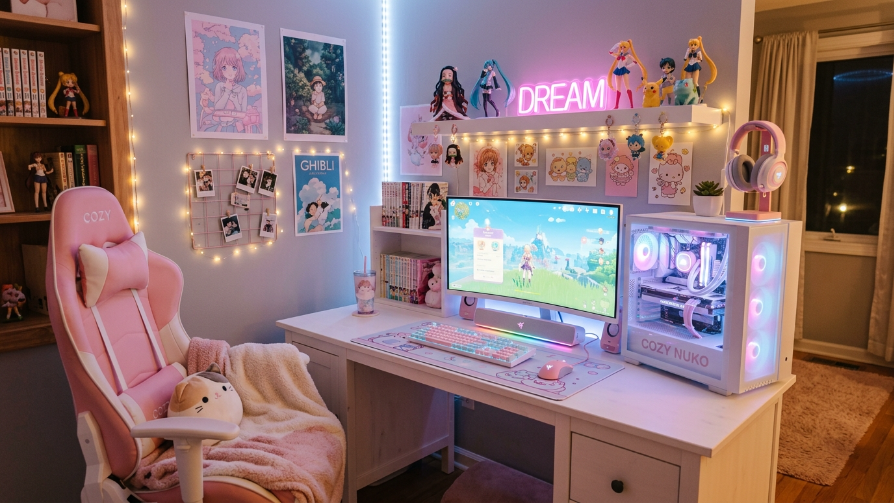
If you prefer a softer aesthetic, the pastel “Cotton Candy” theme is perfect. This setup combines the best of cozy and gamer, utilizing soft pinks and baby blues to create a relaxing atmosphere. Instead of harsh neon strips, use RGB bulbs in lamps or corner floor lights to cast a diffused, dreamy hue. This is an excellent choice for streamers looking to create a welcoming and friendly environment. The lighting should feel like a gentle sunset, reducing eye strain during long gaming marathons.
The key to nailing this aesthetic is to pair the RGB with a light-colored desk and peripherals. White or wood desks act as a canvas, reflecting the pastel lights beautifully. Add some faux fur rugs, cute desk mats, and perhaps a few plants to soften the look. The lighting doesn’t have to dominate the room; rather, it complements the space, creating a “kawaii” or cozy vibe that feels more like a creative studio than a high-tech command center. It’s a sanctuary for cozy gamers.
4. The “Minimalist” White Glow
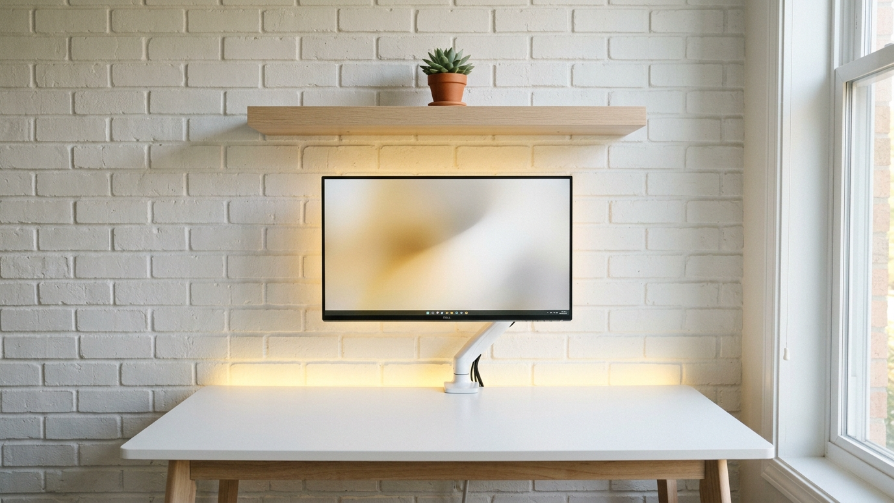
Minimalism is about space, and this idea utilizes RGB lighting to define the space rather than clutter it. The strategy here is “less is more.” Use a single source of RGB light, such as a LED light bar behind your monitor, to create a soft halo. The color should be warm (like 3000K) rather than vibrant neon to maintain a “hygge” or cozy atmosphere. This setup is perfect for those who want the gaming performance without the visual noise. The focus is on the purity of the setup’s design.
Keeping the desk white or light wood is essential for this look. This helps reflect the light and keep the room feeling bright and open. Cable management is paramount; no cables should be visible. The PC itself can be a small form-factor build with subtle white or RGB fans. This creates an illusion of the monitor floating and a space that is calming and productive. It is the ultimate antidote to the chaotic world of gaming, providing a clean slate for focus.
5. The “Dark Purple” Cyberpunk Den
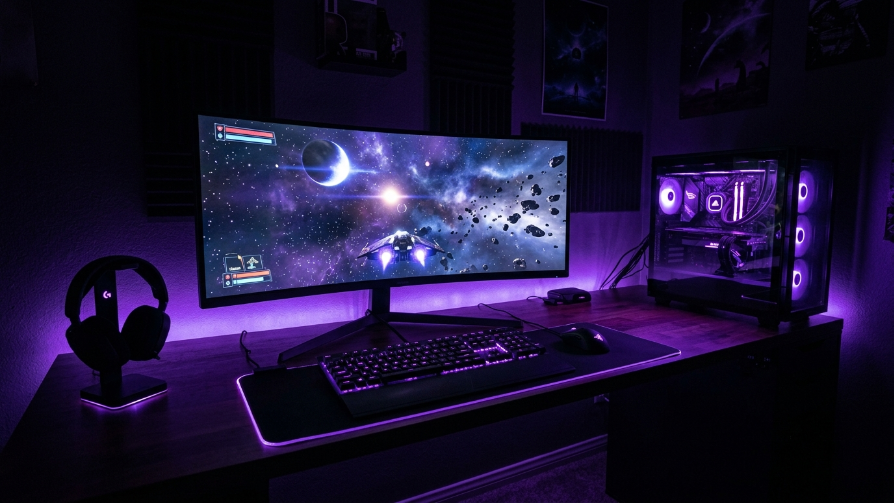
Deep purple is the color of mystery and royalty, making it an excellent choice for a sophisticated gaming den. Use a heavy dose of purple under-glow and behind the monitor to create a moody “synthase” atmosphere. Unlike the neon pink/blue combos, a monochromatic purple scheme feels richer and more mature. Use dimmable LEDs so you can adjust the intensity from a subtle wash to a deep, immersive glow depending on the game you are playing.
This aesthetic works brilliantly when paired with dark wood or black furniture. To prevent the room from feeling too dark, add a few small accent lights in a contrasting color like gold or bright white to highlight specific items, such as a keyboard or headset. This creates depth and visual interest. The purple hues are particularly forgiving on the eyes during night sessions and create an incredibly cinematic backdrop for story-driven games or RPGs.
6. The “RGB Wall Art” Canvas
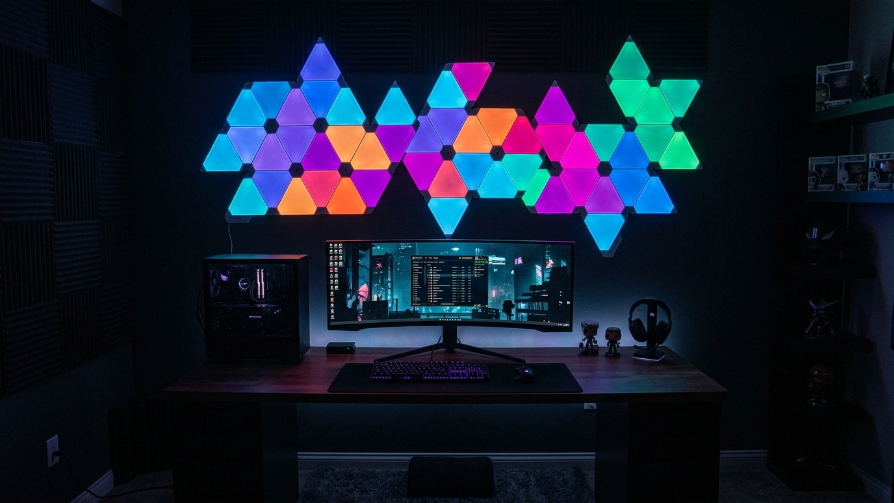
Instead of just sticking RGB strips to the back of a desk, elevate your lighting to the wall itself. Arrange light panels (like Nanoleaf or Govee Glide) into a striking geometric pattern that functions as wall art. This setup makes the lighting the focal point of the room. You can set the panels to a “music mode” so they pulse to your game’s soundtrack or your music, adding a new dimension to your gaming experience. It shifts the perspective from “desk lighting” to “room lighting.”
When the wall is the focal point, you can keep the desk area relatively dark to draw the eye upward. This is a great way to make a small room feel bigger, as the light draws the gaze to a specific point. Use the panels to create a sunrise/sunset simulation to help you wake up or wind down. This setup is as much about interior design as it is gaming, allowing you to program themes that match the game you are playing, instantly changing the room’s entire mood.
7. The “Smart Sync” Ambient Setup
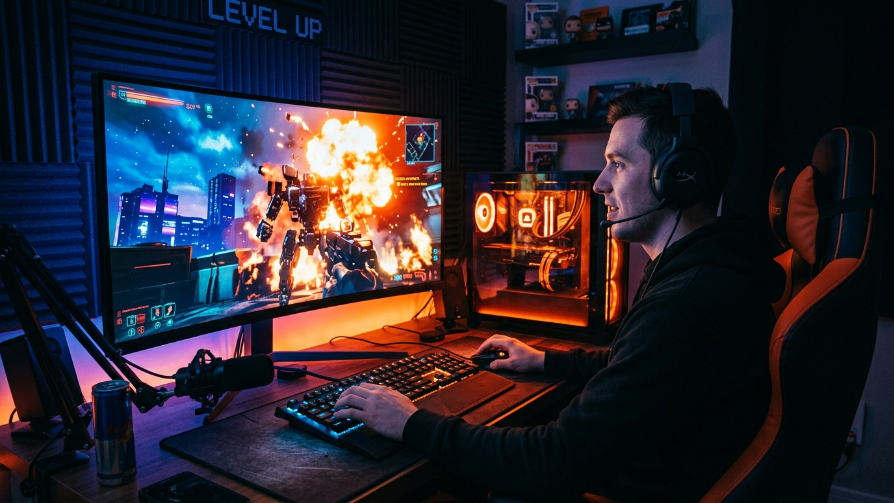
This is the pinnacle of immersion: Ambient Lighting Sync. Using software like Corsair iCUE or Philips Hue Sync, the lights in your room react in real-time to what is happening on your screen. If you are walking through a forest, the room glows green; if there’s an explosion, the room flashes orange. This blurs the line between the game and reality. It requires HDMI sync boxes or compatible software, but the result is a “4D” sensory experience that is unmatched.
To implement this, you’ll need multiple light sources positioned around the room, such as behind the monitor, under the desk, and in a corner lamp. This creates a 360-degree glow that extends beyond the edges of your screen. This setup is particularly effective for open-world games and horror titles, where the dynamic lighting enhances the emotional impact. It is a high-investment project, but for any serious gamer, the added depth and excitement it brings to the game is invaluable.
8. The “Retro Synthwave” Sun
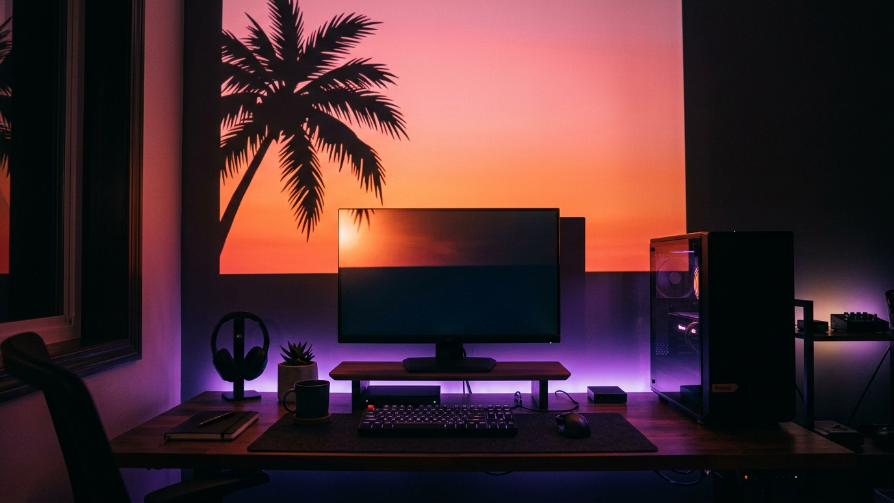
Channel the 80s with a Retro Synthwave theme. Instead of complex patterns, you are aiming for the iconic “sunset” gradient. This can be achieved with a high-powered RGB light panel positioned to project a blend of pink, purple, and orange onto the wall. Add a palm tree silhouette or neon “Outrun” style signs to complete the look. The color scheme is vibrant but generally limited to a warm spectrum, creating a warm, nostalgic atmosphere.
This aesthetic is heavily reliant on the color palette. Use a gradient to create a sunset effect. This works best with a dark or black wall to ensure the colors pop. Your peripherals should follow the theme with teal or pink accents. This setup feels like a time capsule and creates a very unique, vibrant space that stands out from the typical blue/green gaming setups. It’s a perfect choice for fans of the movie Drive or the game Hotline Miami.
9. The “Floating” Shelf Glow
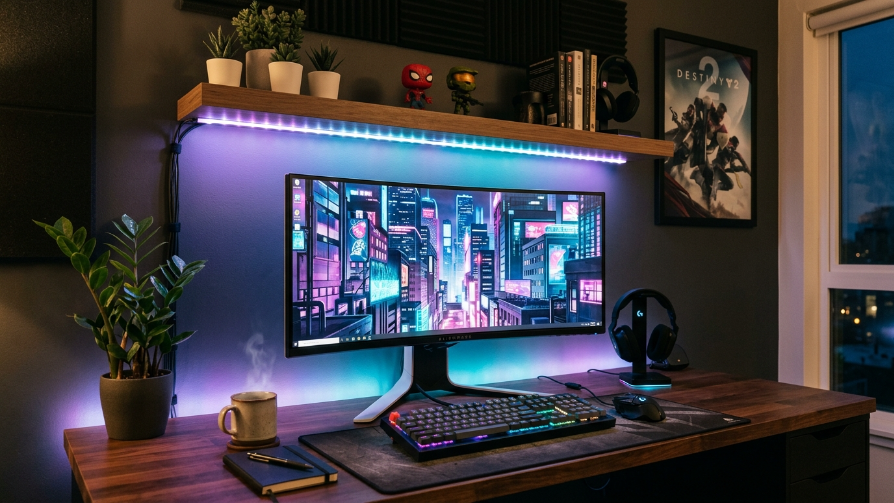
For a unique take on lighting, place your LED strips under a wall-mounted shelf above your desk. This creates a “downlighting” effect that illuminates your keyboard and mouse area without putting a lamp on the desk. It also frees up valuable desk space. This lighting method casts dramatic shadows and highlights your gear perfectly. It’s a very elegant and architectural approach to lighting, making the setup look like a professional display.
The shelf acts as a canopy for your workstation. This allows you to showcase collectibles or plants on top of the shelf while bathing your desk in vibrant color. Choose a color that complements the game you’re playing or the stream you’re hosting. This “indirect” lighting is softer on the eyes than direct LED strips and provides a more natural, room-filling glow. It’s an excellent solution for those who dislike the harshness of monitor backlights but still want that vibrant RGB atmosphere.
10. The “Tropical Teal” Oasis
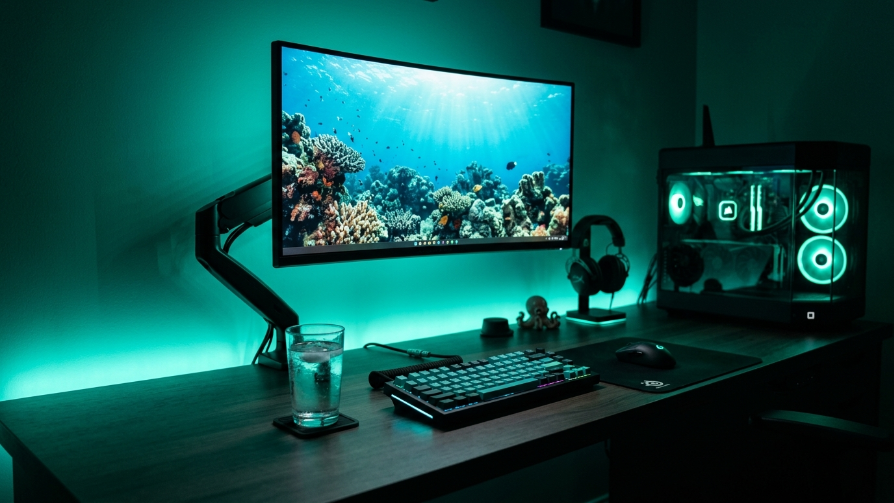
Teal is a versatile color that feels both futuristic and calming. This setup uses teal RGB to create a cool “oceanic” vibe in the gaming room. The color is known to reduce stress and increase concentration, making it ideal for competitive gaming. Use a combination of under-desk strips and monitor backlights to ensure the room is evenly bathed in this tropical hue. Pair it with white or black peripherals for maximum contrast.
The strength of this setup lies in its simplicity. A monochromatic teal theme creates a cohesive and professional look that is easy on the eyes. You can spice it up by adding a “wave” or “breathing” lighting effect to simulate water ripples. This aesthetic is perfect for gamers who want a high-tech feel but prefer cooler, more relaxing tones to the aggressive neon pink and red. It’s the ultimate “chill” gamer aesthetic.
11. The “Neon Purple and Green” Joker
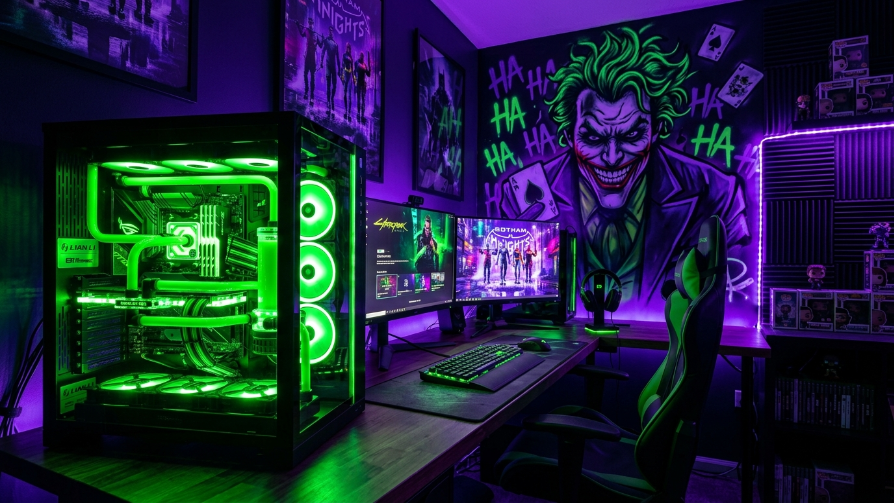
For fans of DC’s Joker or chaotic aesthetics, the clash of neon green and deep purple is a must-try. This color combination is jarring and aggressive, producing an “electric” feel. Instead of placing the strips in parallel, place the green on the desk under-glow and the purple on the wall to create a stark division. This creates a visually chaotic environment that feels dangerous and exciting, reflecting the intensity of fighting games or action titles.
This high-contrast setup requires precise placement to look intentional rather than messy. Use black paint to darken the room so the green and purple don’t wash each other out. The metallic contrast between the green and purple works particularly well with a black desk. It’s a bold choice that demands attention and is guaranteed to stand out in any gaming room or streaming broadcast. It exudes a rebellious and edgy vibe.
12. The “Stealth Blackout” (RGB Off)
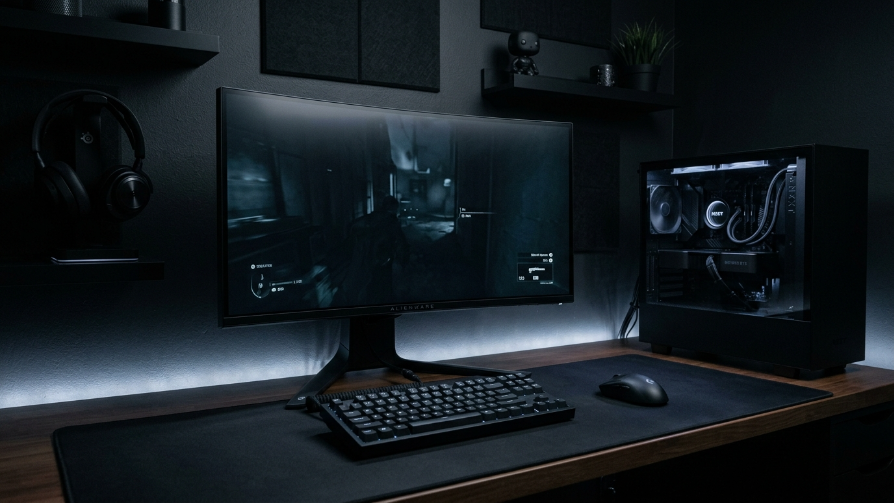
Sometimes, the best RGB is no RGB. This “Stealth” setup focuses on performance and minimalism, utilizing dark, matte materials. However, a single white or dim RGB strip is used to create a soft “halo” effect, simply to outline the desk’s geometry and provide enough light to see the keyboard. This isn’t about colors; it’s about subtlety and the absence of distracting light. It allows the design of the components to speak for themselves.
This style is ideal for those who find RGB distracting but still want a modern, illuminated look. The dim white light creates a professional, clean atmosphere reminiscent of a high-end tech lab. It reduces eye strain and helps you focus on the screen rather than the environment. This is a minimalist approach that prioritizes function and sleekness, proving that you don’t need a rainbow to have an impressive gaming setup.
13. The “Lava Lamp” RGB Spectrum
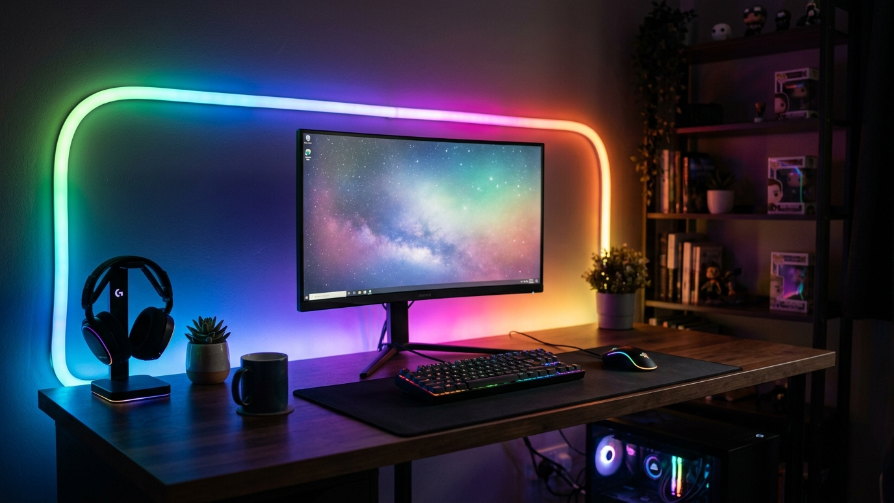
Embrace the classic RGB “rainbow” but with a twist: use a slow, smooth transition rather than fast flashing. This emulates the calming, retro feel of a lava lamp. This “Spectrum Wave” keeps the setup alive and dynamic without being overwhelming or inducing seizures. It’s a great default mode for those who can’t decide on a single color or want something that changes based on their mood over time.
This works best when the transition speed is set to 20-30 seconds to ensure it feels organic. It prevents color dominance and allows each hue to blend seamlessly into the next. It’s nostalgic, playful, and a “safe” choice that appeals to a wide audience. This setup proves that you don’t need to be a hardcore cyberpunk enthusiast to enjoy a beautifully lit RGB space; a gentle, flowing spectrum works wonders for a cozy gaming room.
14. The “Sunrise/Sunset” Cycle
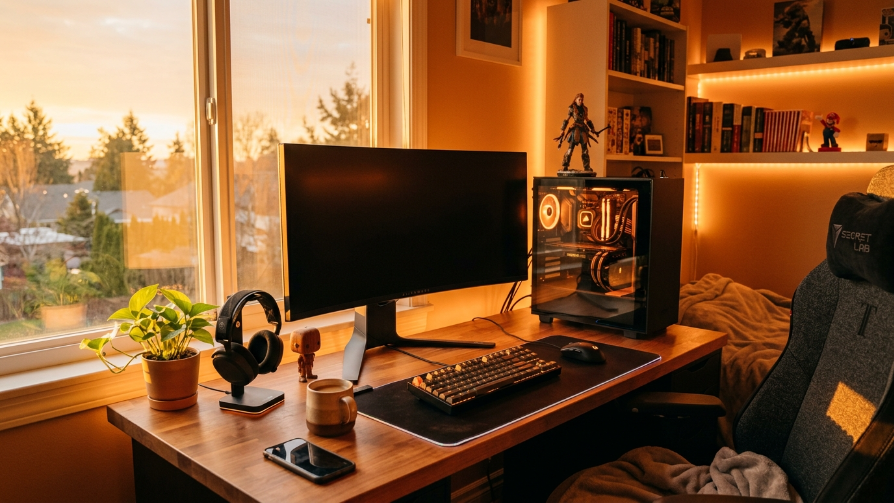
Utilize smart RGB bulbs to create a biohacking “Circadian Lighting” setup. The lights warm up to an orange hue in the evening and cool down to a bright white in the morning. This aligns your gaming schedule with your natural sleep-wake cycle, making it easier to fall asleep after a long session. This is less about aesthetics and more about well-being, but the warm golden tones are incredibly photogenic and cozy.
This type of lighting creates a warm, hygge atmosphere that is very difficult to achieve with standard bright LEDs. It’s perfect for RPGs or story-driven games where you want a cozy, immersive experience. While you can game at night, the warm light signals to your brain that it’s time to wind down. This is the ultimate setup for the gaming professional who needs to maintain a healthy work-life balance while still enjoying immersive lighting.
15. The “Racing Sim” Red Zone
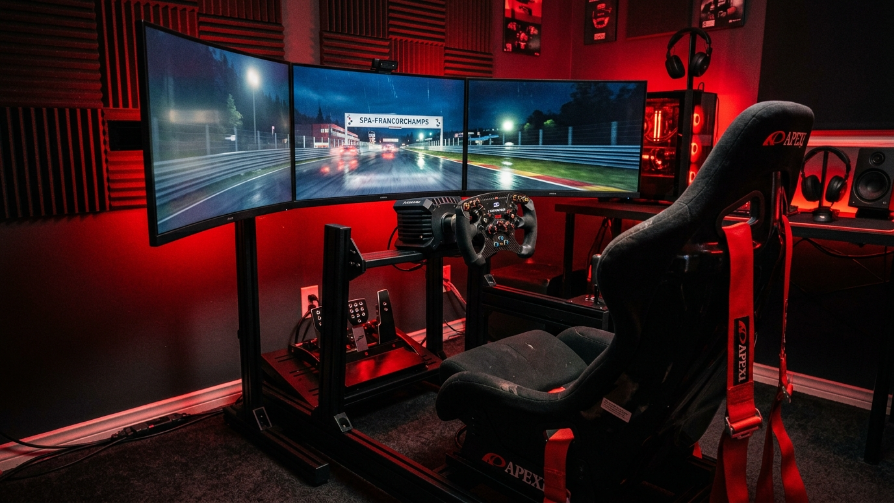
For racing fans, red is the color of adrenaline and speed. This setup focuses a powerful, fiery red RGB lighting on a racing simulator rig. The intensity of the red creates a sense of urgency and immersion, simulating the heat of the cockpit or the red lights of a starting grid. Make sure to use bright LED strips that can produce a deep, saturated red to create the illusion of a high-temperature environment.
Using red is tricky because it can be too intense. To balance it out, keep the rest of the room dark. Use black or dark gray walls to absorb the light and prevent the red from bouncing around too much, which can cause eye strain. The red light, combined with the tactile feedback of the racing wheel, will trick your brain into feeling the speed and intensity of the race, delivering an unmatched competitive edge.
16. The “Ultrawide” Backlight Halo
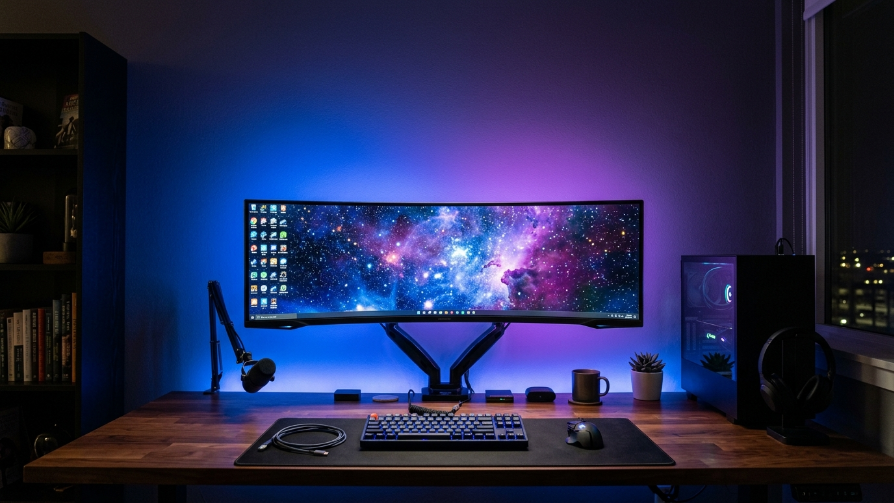
If you have an ultrawide monitor, the standard monitor backlight isn’t enough. You need a massive, powerful diffused light behind it to create a true “halo” effect. This utilizes a long LED strip that spans the entire length of the monitor and is mounted on the back of the desk. The result is a massive, ambient glow that expands the visual field, making the screen look even larger and more immersive.
This setup uses the light to counteract the “dead space” behind the monitor. By illuminating the wall, the monitor appears to float in a sea of color. This is incredibly useful for streaming, as it provides a beautiful backdrop, and for gaming, as it improves the perceived contrast and depth of the screen. It’s a high-impact lighting solution that is both functional and visually stunning.
17. The “Colored Wall Projection”
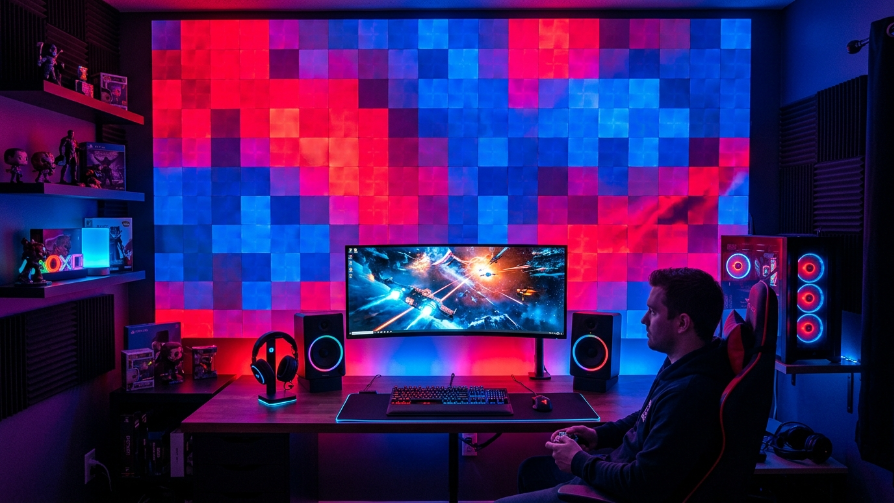
Don’t limit the RGB to your desk; let it spill over into the rest of the room. Use high-powered RGB floodlights or light bars aimed at the wall to act as a “wall wash.” This dramatically increases the scale of the lighting setup, turning an accent into a room-defining feature. It is a fantastic way to transform a plain white wall into a dynamic, colorful canvas that reacts to your gaming.
This is an excellent choice for streamers or content creators who need a dynamic background. The light creates a vibrant halo around the gamer. Use two separate lights to create a gradient effect, like a orange and blue split, to add depth and complexity to the room. This elevates the entire room’s aesthetic, making it feel like a complete immersion environment rather than just a desk with a light under it.
18. The “Shelf Highlighting” Display
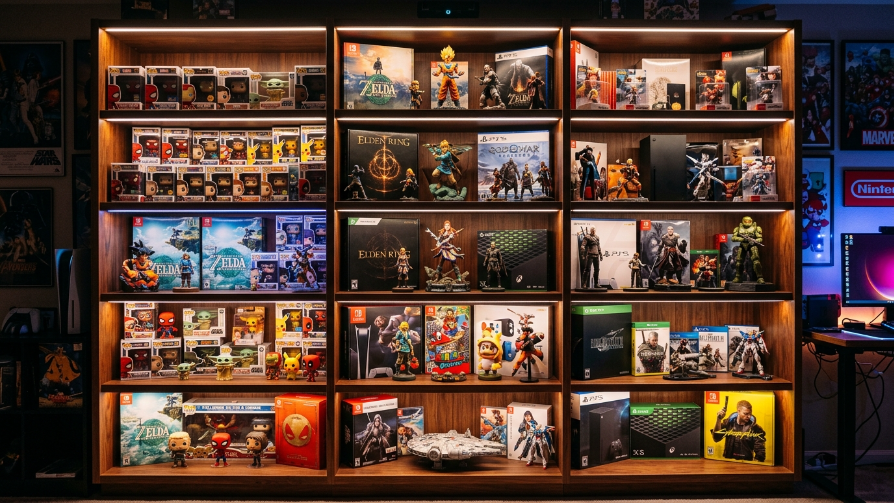
Gaming is about collecting, and your collectibles deserve to be displayed. Use RGB strips to illuminate the shelves that hold your gaming memorabilia. This creates a museum-like display that elevates your action figures or limited-edition boxes from clutter to art. The light should be focused on the items, drawing the eye away from the desk. It creates a secondary focal point in the room.
You can even color-code the shelves. For example, red for your Doom collectibles, blue for your Sonic figures, and so on. This creates a sense of order and visual interest. The glow also provides a subtle ambient light in the room, reducing the need for harsh overhead lamps. It’s a great way to show off your personality and make your room feel like a curated gallery.
19. The “Ice Cold” White and Blue
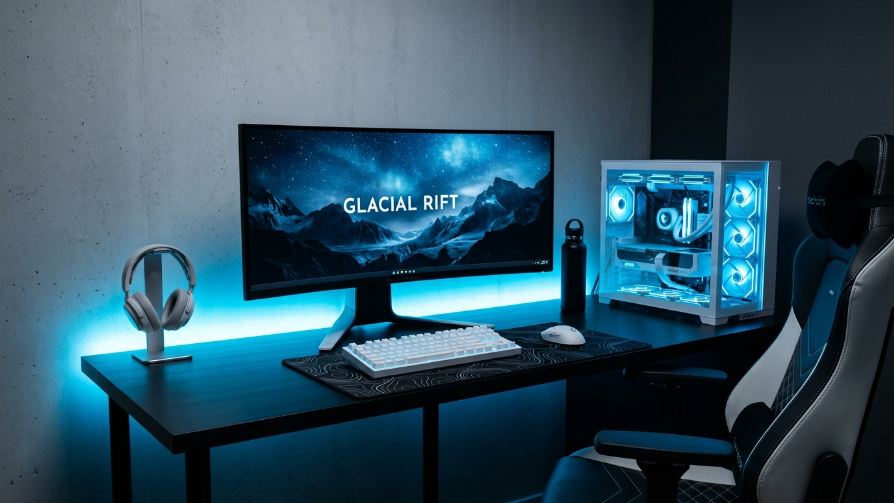
This is the “Frost” aesthetic. It utilizes a very specific blue shade—one that is almost white and has a high Kelvin rating (6000K+). This creates a feeling of coldness, freshness, and precision. It’s the “Sterile Tech” look often seen in sci-fi movies. This is perfect for gamers who love a clean, crisp, and modern visual. It’s all about high-contrast and clinical brightness.
To achieve this, you need true “Ice Blue” LEDs, which can be hard to find as they are often mixed with green or purple. Pair this with a white desk and white peripherals to maximize the reflection. The blue light is known to be energizing, making it a good fit for fast-paced, competitive gaming. The result is a setup that feels like the inside of a high-tech cryo-chamber, sharp, cool, and highly focused.
20. The “Biophilic” Green Glow
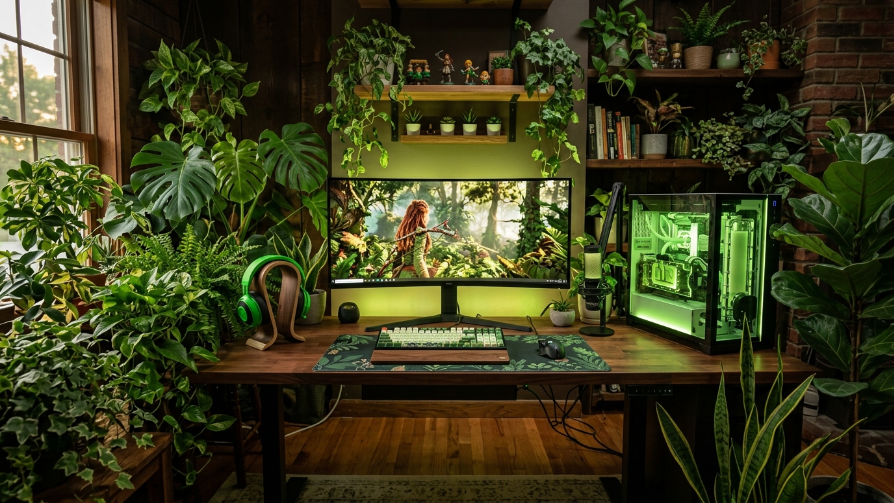
Combine the tech world with nature. Instead of neon colors, use a soft, natural green RGB to simulate the feeling of being in a forest. Place real houseplants around the desk to complement the green light. This “Biophilic” design has been proven to reduce stress and improve focus, making it a healthy choice for gaming. The green light enhances the green of the plants, creating a lush, harmonious environment.
This isn’t the “gamer green” of neon; it’s a soft, warm olive or emerald green. Keep the lighting diffused and soft to mimic natural light. The contrast between the high-tech PC and the organic plants creates a stunning visual dynamic. It’s a wonderful way to bring life into a digital space and creates a gaming room that feels less like a basement and more like a living, breathing sanctuary.
21. The “Floating Cloud” Ceiling
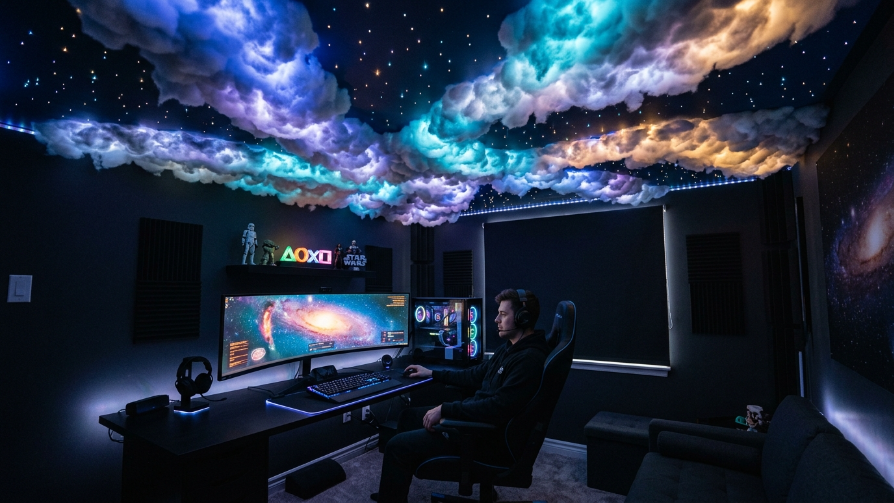
Think beyond the walls and desk. Install LED strips behind crown molding or cove lighting in the ceiling. This creates an indirect glow that washes the walls and illuminates the room from the top down. This “Cloud” lighting effect is soft and ambient, eliminating harsh shadows on the desk. It makes the room feel much larger and more open by drawing the eye upwards.
This is a more advanced lighting project but yields a phenomenal “grand” effect. You can sync these ceiling lights with your PC and monitor to create a truly immersive, 360-degree lighting environment. The diffuse light is easy on the eyes and provides a high-quality base illumination, allowing your desk accent lights to be the star of the show. It creates a fully enveloping experience.
22. The “Backlight Bar” (Monitor Light Bar)
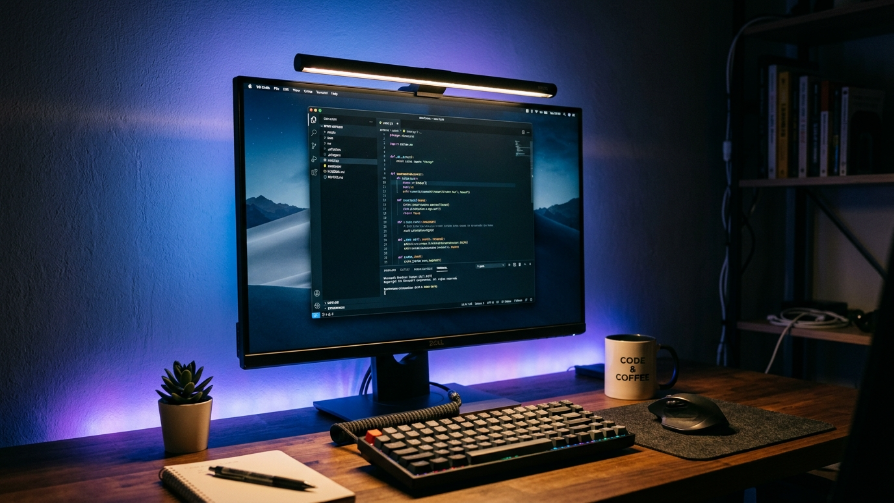
A Monitor Light Bar is an essential tool for a productive setup. It sits on top of your monitor and illuminates your keyboard and desk area without causing screen glare. By adding an RGB strip behind the monitor simultaneously, you get a dual-lighting effect: functional warm light on the desk and ambient color on the wall. This combination is incredibly functional and looks very professional.
The contrast between the warm work light and the cool/customizable RGB backlight is very appealing. It creates depth in the room and reduces eye strain significantly. It’s a favorite among programmers and streamers alike. It allows you to work in a well-lit environment without the harsh overhead light, making it a staple addition to any serious “gamer aesthetic” setup.
23. The “Diode Dynamics” Desk Pattern
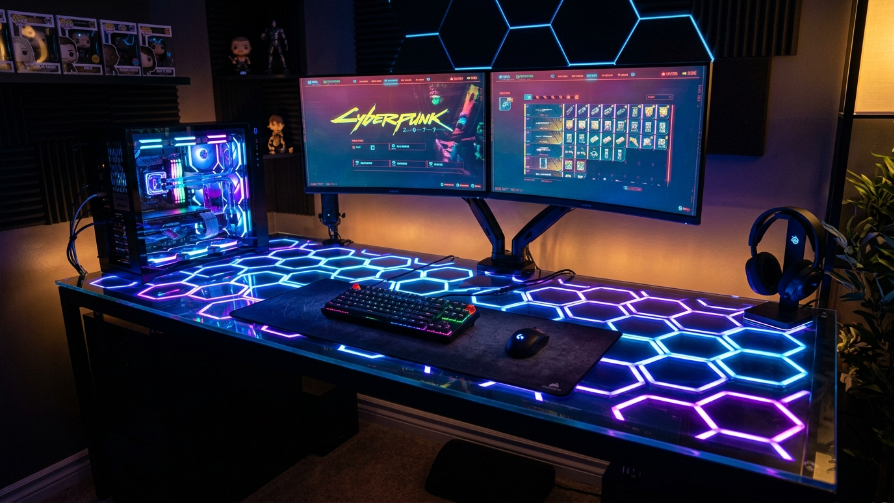
Instead of hiding the strips under the desk, place them on the desk surface itself—under a glass or acrylic desk mat. Arrange them in a pattern (like a grid or hexagons) to create a glowing, futuristic surface. This makes the desk itself a light source, literally making your keyboard and mouse float on a bed of light. It’s a highly unique and visually arresting way to use RGB.
This allows for incredible customization. You can create “zones” on the desk that change color. This looks especially good with a wireless keyboard and mouse, reducing cable clutter. It’s a bold statement that turns your desk into an art installation. It’s perfect for tech enthusiasts who want their setup to be as unique as their gameplay.
24. The “Wood & Warmth” Glow
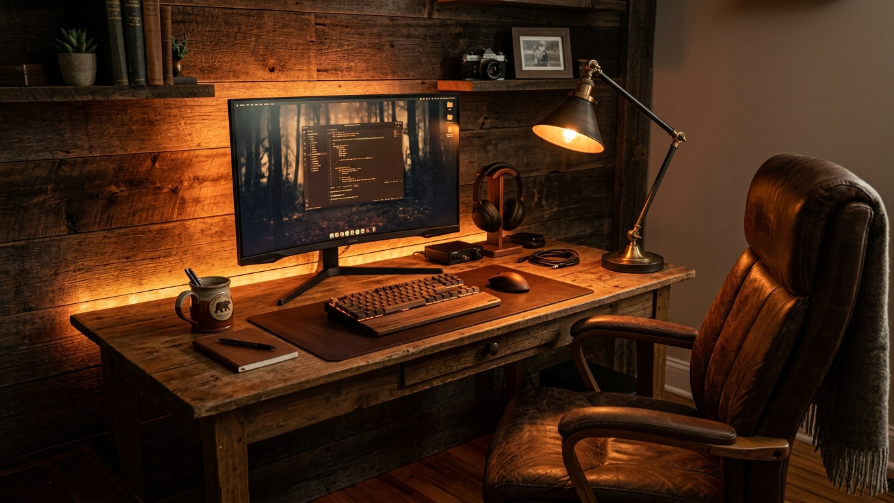
You don’t need a black desk to have RGB. A wooden desk paired with a warm, “amber” or “orange” RGB creates a stunning, mature look. The warm lighting complements the natural grain of the wood, softening the harshness of the technology. This creates a “Gentleman Gamer” aesthetic—sophisticated, warm, and inviting. It blends the modern world of gaming with classic furniture design.
Use a warm color palette (like 2700K) rather than neon colors. This can be a single strip behind the monitor or a lamp with a smart bulb. The combination of organic wood and digital RGB is a beautiful contrast. It proves that RGB lighting can be classy and can seamlessly integrate into a home office or adult living space without looking like a teenage bedroom.
25. The “Club Lighting” Disco Floor
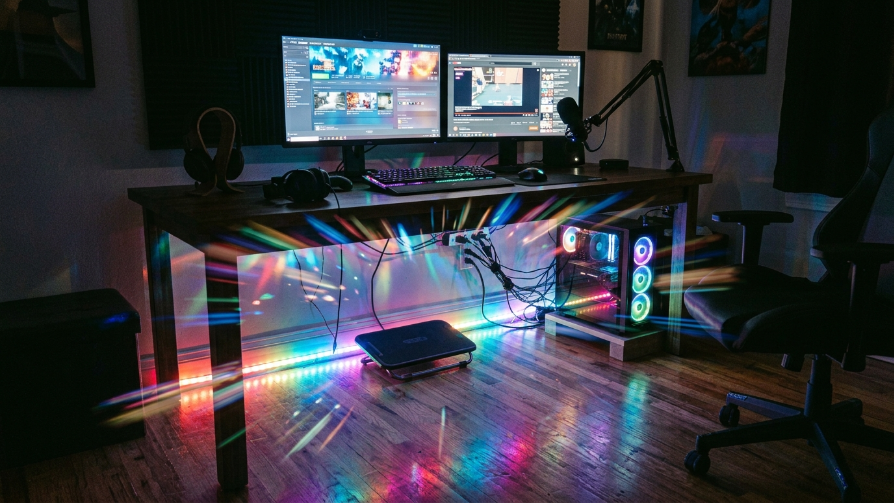
While most lighting focuses on the wall, don’t forget the floor. Placing a diffused RGB strip along the baseboard or under the desk to illuminate the floor creates a “club” or “rave” vibe. This adds another layer of depth to the setup. The light bounces off the floor, creating a pool of color that reflects onto the underside of the desk.
Use a diffused strip to avoid spotting on the floor. A glossy or light-colored floor (like white tile or polished concrete) works best to reflect the light upward. This setup pairs well with a “party” mode or music-reactive mode. It’s a simple addition that adds a surprising amount of atmosphere, making your gaming room feel like a high-end nightclub or an esports arena.
26. The “Asymmetric” Single Bar
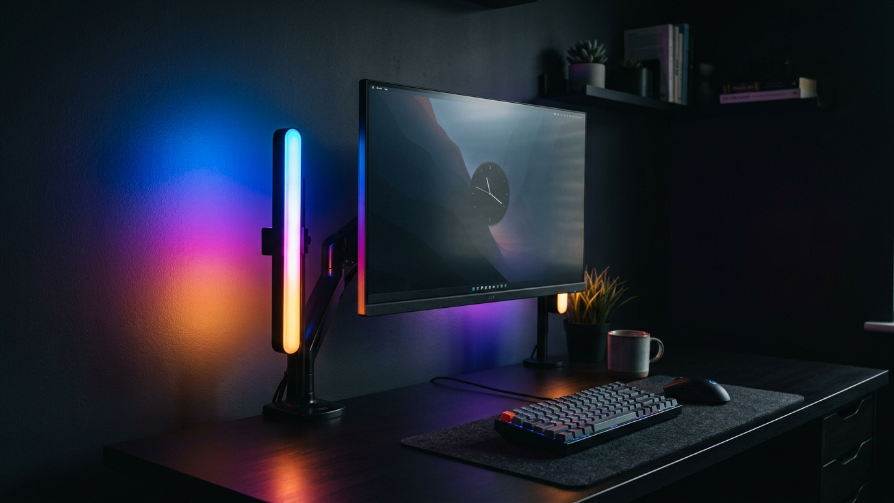
Break the rules of symmetry. Instead of lighting the entire desk evenly, place a single LED bar vertically on the left or right side of your monitor. This creates dramatic, cinematic shadows across your face (perfect for streaming) and highlights one side of your gear while the other sits in darkness. It’s a bold, artistic choice that looks incredibly professional and moody.
This setup is about style over coverage. It creates an intense look that feels more like a promotional photo than a typical gaming setup. The contrast between the bright light and the dark shadow makes the colors pop. It’s an advanced lighting technique for those who understand composition and want to move away from the generic “strip on the back of the desk” look.
27. The “Water Reflection” Ripple
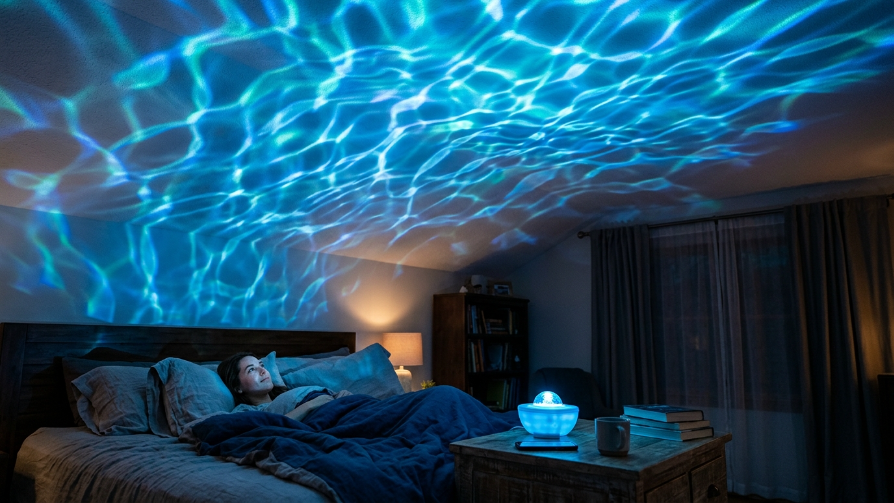
The final idea is to use a specialized RGB “water ripple” projector. These projectors create a moving, dynamic light pattern that mimics the reflection of water on a ceiling. This takes RGB from static colors to a moving, living environment. It creates a sense of motion in the room without anything actually moving. It is one of the most relaxing and unique lighting effects available.
This setup is incredible for games like Subnautica or Sea of Thieves. It’s an affordable way to transform an entire room. Pair the ripple effect with a cool blue or teal static desk light. The combination of the dynamic ceiling and the static desk will blow your mind. It’s a great conversation starter and is a perfect way to end the list, proving that RGB is constantly evolving.
Frequently Asked Questions (FAQs)
1. What is the best color for RGB gaming setups to reduce eye strain?
While “best” is subjective, warm tones like yellow, orange, and soft red are easier on the eyes in dark environments. Cooler tones like bright blue and white can cause more glare and strain. Many gamers prefer a dim, warm white or amber light for the ambient light, keeping the neon colors for accent pieces only. It is also advisable to keep the brightness at a moderate level rather than maximum.
2. How do you sync RGB lights with your PC or game?
You need a unified ecosystem. Brands like Corsair (iCUE), Razer (Synapse), and Philips (Hue Sync) offer software that connects your PC components, peripherals, and room lights. For screen syncing (where lights react to the game), you typically need a Philips Hue Play HDMI Sync Box or a software solution that analyzes your screen output (available for PC). Make sure all your devices are compatible with the same software.
3. Is an RGB setup expensive to build?
It can be as cheap or as expensive as you want. A basic LED strip from Amazon costs $15-30. However, premium kits from Philips Hue or Nanoleaf can cost hundreds of dollars. A smart setup usually requires a hub (like a Hue Bridge) which adds to the cost. It is best to start small (e.g., one strip behind the monitor) and add pieces over time rather than trying to buy everything at once.
4. Do RGB lights increase the electricity bill significantly?
Generally, no. LEDs are incredibly energy-efficient. A typical 5-meter RGB strip uses about 24-30 watts of power. If left on for 10 hours a day, it might cost you around $0.03 – $0.05 per day, depending on your electricity rates. Compared to standard incandescent bulbs, LEDs use up to 75% less energy. So, you can enjoy your lighting without worrying about a spike in your electricity bill.